Introduction
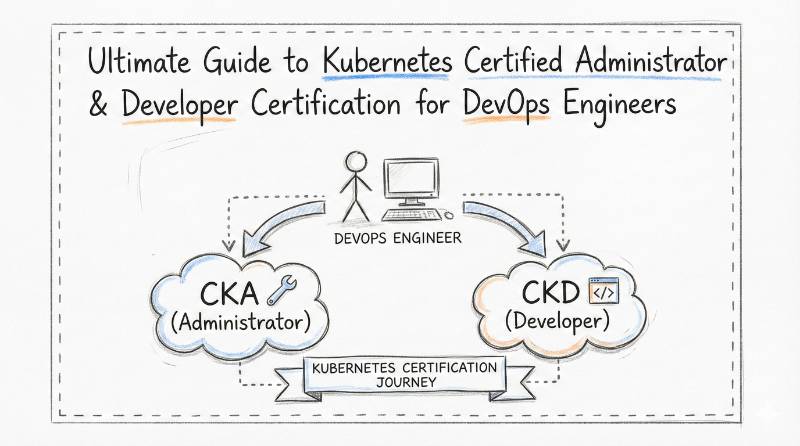
In my extensive career managing infrastructure—ranging from traditional data centers to modern, massive cloud-native fleets—I have seen many technologies promise a revolution. Kubernetes, however, delivered one. It is no longer just a tool for startups; it is the fundamental operating system of the cloud. If you are an engineer or a manager today, understanding Kubernetes is not optional. The Kubernetes Certified Administrator & Developer (KCAD) is a unique and critical program because it refuses to compartmentalize your skills. It does not just teach you how to drive the car (Developer); it teaches you how to build and tune the engine (Administrator). This guide is your roadmap. It cuts through the marketing noise to give you the hard facts, the strategies, and the insights you need to master this technology.
Certification at a Glance
| Feature | Details |
|---|---|
| Certification Name | Kubernetes Certified Administrator & Developer (KCAD) |
| Track | Container Orchestration & Cloud Native |
| Level | Intermediate to Advanced |
| Who it’s for | DevOps Engineers, SREs, Cloud Architects, Backend Developers |
| Prerequisites | Linux Command Line (Bash), Basic Docker/Container concepts |
| Skills Covered | Cluster Architecture, Networking (CNI), Storage (CSI), Security, Troubleshooting |
| Recommended Order | Linux Basics → Docker → KCAD → CKS (Security) |
Deep Dive: Kubernetes Certified Administrator & Developer (KCAD)
What it is
The KCAD is a hybrid certification that offers a holistic view of the ecosystem. Most other certifications force you to choose between an “Ops” path (managing nodes/upgrades) or a “Dev” path (deploying apps). KCAD bridges this gap. It validates that you can configure the control plane, fix broken nodes, AND write the complex YAML manifests required to deploy scalable microservices. It creates a “T-shaped” engineer who understands the full stack.
Who should take it
- DevOps Engineers: You are often the bridge between code and infrastructure. This certification proves you can handle both sides of that bridge.
- Site Reliability Engineers (SREs): You cannot effectively debug a production incident if you don’t understand how the scheduler places pods or how the API server processes requests.
- Platform Engineers: If you are building Internal Developer Platforms (IDPs), you need deep administrative knowledge to abstract complexity for others.
- Senior Developers: To design truly cloud-native applications, you must understand the constraints and capabilities of the infrastructure they run on.
Skills you’ll gain
- Cluster Architecture: A deep conceptual understanding of the API Server, etcd database, Kubelet, Kube-proxy, and the Controller Manager.
- Workload Scheduling: Mastering advanced placement strategies like Taints, Tolerations, Node Affinity, and Pod Anti-Affinity to control exactly where applications run.
- Advanced Networking: Configuring Service meshes, Ingress Controllers, Network Policies, and understanding how CNI plugins facilitate pod-to-pod communication.
- Storage Orchestration: Dynamic provisioning of storage using StorageClasses, PersistentVolumes (PV), and PersistentVolumeClaims (PVC).
- Security Posture: Implementing robust security using RBAC (Role-Based Access Control), Service Accounts, and Security Contexts to minimize the attack surface.
- Troubleshooting: The critical ability to look at a crashed cluster and identify if it’s a DNS resolution issue, a container crash loop, or a resource limit saturation.
Real-world projects you should be able to do after it
- Build a Cluster from Scratch: Use tools like
kubeadmto bootstrap a multi-node cluster, including upgrading the control plane and worker nodes without downtime. - Deploy a Microservices App: Take a multi-tier application (e.g., Frontend, Backend, Database), containerize it, and deploy it with self-healing capabilities and proper service discovery.
- Implement GitOps Pipelines: Set up continuous delivery tools like ArgoCD or Flux to deploy applications automatically when code is pushed to a Git repository.
- Secure a Production Cluster: Lock down a cluster so that only authorized users can access specific namespaces, and implement network policies to isolate sensitive workloads.
- Disaster Recovery Simulation: Intentionally corrupt the etcd datastore and successfully restore the cluster state from a backup snapshot to bring operations back online.
Preparation Plan
Option 1: 7 Days (The “Refresher” – For experienced engineers)
- Day 1-2: Review Core Primitives (Pods, Deployments, ReplicaSets). Practice imperative commands (
kubectl run) to build speed. - Day 3: Deep dive into Networking (Services, Ingress, DNS debugging). This is often the trickiest part of the exam.
- Day 4: Storage and Persistent Volumes. Understand the difference between Static and Dynamic provisioning.
- Day 5: Security (RBAC, Service Accounts). Practice creating users, roles, and bindings.
- Day 6: Mock Exams. Time yourself strictly. Speed is key in a performance-based exam.
- Day 7: Review weak spots and specific edge cases like Sidecars and InitContainers.
Option 2: 30 Days (The “Standard” – For working professionals)
- Week 1: Architecture & Installation. Understand every component’s role. Set up your own lab environment.
- Week 2: Workloads & Scheduling. Learn how to control pod placement and lifecycle.
- Week 3: Networking & Storage. These are complex topics; spend extra time here to understand the underlying mechanics.
- Week 4: Troubleshooting & Security. Break things intentionally in your lab and practice fixing them.
Option 3: 60 Days (The “Deep Learner” – For beginners)
- Week 1-2: Linux & Docker Fundamentals. Do not touch Kubernetes until you understand Docker networking and volumes thoroughly.
- Week 3-4: Basic Kubernetes Objects. Write YAML files by hand to build muscle memory.
- Week 5-6: Advanced Administration. Practice upgrading clusters, backing up etcd, and managing nodes.
- Week 7: Security Standards and Best Practices.
- Week 8: Final Capstone Projects & Mock Exams.
Common Mistakes
- Relying on YAML files: In the exam, you do not have time to copy-paste or write YAML from scratch. You must use imperative commands (e.g.,
kubectl run nginx --image=nginx --port=80). - Ignoring Contexts: The exam environment has multiple clusters. If you solve the question on the wrong cluster, you get zero points. Always check your context (
kubectl config use-context). - Misunderstanding Services: Confusing a
NodePortwith aClusterIP. Be crystal clear on how traffic flows into and inside the cluster. - Sticking to the UI: Do not rely on dashboards (like Lens or the K8s Dashboard). The exam and real-world high-pressure debugging happen in the terminal.
Best next certification after this
- Certified Kubernetes Security Specialist (CKS): Once you know how to build and run the cluster (KCAD), you must learn how to secure it against modern threats.
Choose Your Path
Kubernetes is the foundation. Where you go next depends on your passion.
1. DevOps Path
- Focus: Automation, CI/CD, GitOps.
- Tools: Jenkins, GitLab CI, ArgoCD, Helm.
- Why: You want to streamline the software delivery lifecycle and automate everything from commit to production.
2. DevSecOps Path
- Focus: Security Policy, Compliance, Vulnerability Management.
- Tools: OPA (Open Policy Agent), Falco, Trivy.
- Why: You want to integrate security into the pipeline (“Shift Left”) rather than treating it as an afterthought.
3. SRE (Site Reliability Engineering) Path
- Focus: Observability, Reliability, Incident Response.
- Tools: Prometheus, Grafana, Jaeger, ELK Stack.
- Why: You enjoy keeping massive systems running smoothly, defining SLOs, and debugging complex distributed failures.
4. AIOps / MLOps Path
- Focus: Model Training, GPU Scheduling, AI Pipelines.
- Tools: Kubeflow, Ray, NVIDIA GPU Operator.
- Why: You want to power the AI revolution using Kubernetes as the compute engine for training and serving models.
5. DataOps Path
- Focus: Stateful Workloads, Databases, Streaming.
- Tools: Kafka on K8s, Cassandra, Spark, Airflow.
- Why: You want to manage big data pipelines and complex stateful applications on cloud-native infrastructure.
6. FinOps Path
- Focus: Cost Management, Resource Optimization.
- Tools: Kubecost, CloudHealth.
- Why: You want to help organizations stop wasting money on idle cloud resources and optimize cluster efficiency.
Role → Recommended Certifications Mapping
If you are currently in one of these roles, here is the stack of certifications you should aim for to reach the top tier of your field.
| Role | Recommended Certifications |
|---|---|
| DevOps Engineer | KCAD + Terraform Associate + CKS |
| Site Reliability Engineer (SRE) | KCAD + Prometheus Associate + CKS |
| Platform Engineer | KCAD + CKS + ArgoCD Associate |
| Cloud Engineer | KCAD + AWS/Azure Solutions Architect (Professional) |
| Security Engineer | KCAD + CKS + CISSP |
| Data Engineer | KCAD + Databricks Certifications + Kafka |
| FinOps Practitioner | KCAD (Fundamentals) + FinOps Certified Practitioner |
| Engineering Manager | KCAD (for technical context) + PMP or Agile/Scrum Master |
Top Institutions for KCAD Training & Certification
These are the providers I recommend based on their track record, curriculum depth, and community feedback.
DevOpsSchool
This is the go-to institute for deep, comprehensive learning. Their “Master” programs are famous for being intense and thorough. They don’t just teach you to pass the exam; they teach you to survive in a production environment.
Cotocus
Cotocus specializes in consulting-led training. Their instructors are usually working consultants, so you get insights into real client problems and how they were solved, not just textbook theory.
Scmgalaxy
A community-first platform. They are excellent if you are looking for a vast repository of tutorials, scripts, and community support. Their approach is collaborative and resource-heavy.
BestDevOps
If you are short on time and need a focused, exam-oriented approach, this is a good choice. They strip away the fat and focus strictly on what you need to know to get certified quickly.
devsecopsschool
As the name suggests, they look at everything through a security lens. If your goal is to move from KCAD directly to CKS or a security role, their curriculum bridges that gap perfectly.
sreschool
They focus on “Day 2” operations—how to run Kubernetes after it is installed. Their training emphasizes reliability, monitoring, and scaling strategies suitable for SREs.
aiopsschool
A niche provider for the modern era. They teach Kubernetes specifically for running AI/ML workloads. Perfect for engineers moving into the AI space.
dataopsschool
Focused on the hard problem of state in a stateless world. They teach you how to run databases and data pipelines on Kubernetes reliably.
finopsschool
They tackle the financial aspect of the cloud. Their training helps you understand how Kubernetes resource requests translate to the monthly cloud bill and how to optimize it.
FAQs: Kubernetes Certified Administrator & Developer (KCAD)
1. How difficult is the KCAD exam compared to others?
It is one of the tougher exams in the industry because it is 100% practical. There are no multiple-choice questions where you can guess. You either know how to fix the cluster, or you don’t.
2. How much time do I realistically need to prepare?
If you are working full-time, give yourself 8 weeks of steady study. If you can study full-time, you can crush it in 3 weeks. Consistency matters more than cramming.
3. What are the strict prerequisites?
You must know Linux. If you can’t use editors like vi or nano, or don’t know how systemd works, you will fail. You also need a solid grasp of Docker basics (images, containers, volumes).
4. What is the correct sequence of learning?
Start with Docker. Then take KCAD. Then, once you are comfortable, move to niche certifications like CKS (Security) or specific cloud provider certs.
5. What is the real market value of this certification?
It validates your skills to employers instantly. It effectively says, “I can handle your production infrastructure without destroying it.” It is a massive salary booster in the current market.
6. Can a fresher get this certification?
Yes, but it will be harder. Without real-world context, some concepts (like networking) are abstract. However, getting it as a fresher proves immense dedication and technical aptitude.
7. Is coding required for KCAD?
You do not need to be a Java or Python expert. However, you must be comfortable with YAML, JSON, and reading basic code snippets to understand what an application is doing.
8. What happens if I fail?
Don’t panic. Most vouchers come with a free retake. Analyze your score report, see which section (e.g., Storage or Networking) you failed, and focus only on that for the retake.
9. How do I practice if I don’t have a server?
You don’t need a physical server. Use tools like Minikube, Kind (Kubernetes in Docker), or Kubeadm on a Virtual Machine to create a cluster on your laptop.
10. Why is this better than just the CKA or CKAD separately?
In smaller teams or modern DevOps roles, the line between “Dev” and “Ops” is blurred. KCAD covers both, making you more versatile and valuable to startups and enterprises alike.
11. Is the exam open book?
Usually, you are allowed one tab open to the official Kubernetes documentation. Learning how to search the docs quickly is a skill in itself.
12. Does this certification expire?
Yes, typically every 2 or 3 years. Kubernetes evolves rapidly (new APIs are added, old ones removed), so you need to recertify to stay current.
13. What is the “Imperative vs. Declarative” concept I keep hearing about?
Declarative is writing YAML files (best for production/GitOps). Imperative is running commands like kubectl create (best for exam speed/debugging). You need to master both.
14. Will this help me with AWS EKS or Azure AKS?
Absolutely. EKS and AKS are just managed Kubernetes services. The underlying concepts (Pods, Services, RBAC) are exactly the same.
15. Where do I find the best study material?
Stick to the official training partner: Kubernetes Certified Administrator & Developer (KCAD). Their curriculum is aligned with the exam objectives.
16. How is the exam scored?
Scoring is automatic. Scripts run against your cluster to check the final state. If the pod is running and accessible as requested, you get the points.
17. Can I use aliases during the exam?
Yes, setting up aliases (like alias k=kubectl) is highly recommended to save typing time.
18. What if the internet disconnects during the exam?
The proctor will pause the exam. However, a stable, wired connection is strongly recommended to avoid panic.
19. Is there a language barrier?
The exam is in English. The questions are usually straightforward, but read them carefully to ensure you don’t miss minor details like namespace names.
20. Why choose DevOpsSchool?
They offer a structured approach that combines theory with intense lab sessions, specifically tailored to help you pass the certification and gain job-ready skills.
Conclusion
Mastering Kubernetes is no longer optional—it is the standard for modern infrastructure. The Kubernetes Certified Administrator & Developer (KCAD) program stands out because it refuses to limit you to a single silo. By validating your ability to both manage the cluster and deploy applications on it, you position yourself as a versatile, high-value asset in any technical team. The path to expertise is not about memorizing commands but about building muscle memory through hands-on practice. Whether you are a developer looking to understand the platform or an operator looking to better support your dev teams, this certification bridges that gap.
