Introduction
Many teams want faster releases, fewer bugs, and safer deployments. But the real problem is this: the work is not connected end-to-end. Code is written in one place, built in another, tested late, and deployed with fear. That is why a structured program like Master in Azure DevOps matters. It helps you learn Azure basics, Azure administration, and Azure DevOps practices in one clear path—so you can build real CI/CD pipelines, run stable environments, and deliver software with confidence. This guide is written for working engineers and managers in India and globally. The language is simple. The goal is practical skill, not just theory.
What is Master in Azure DevOps?
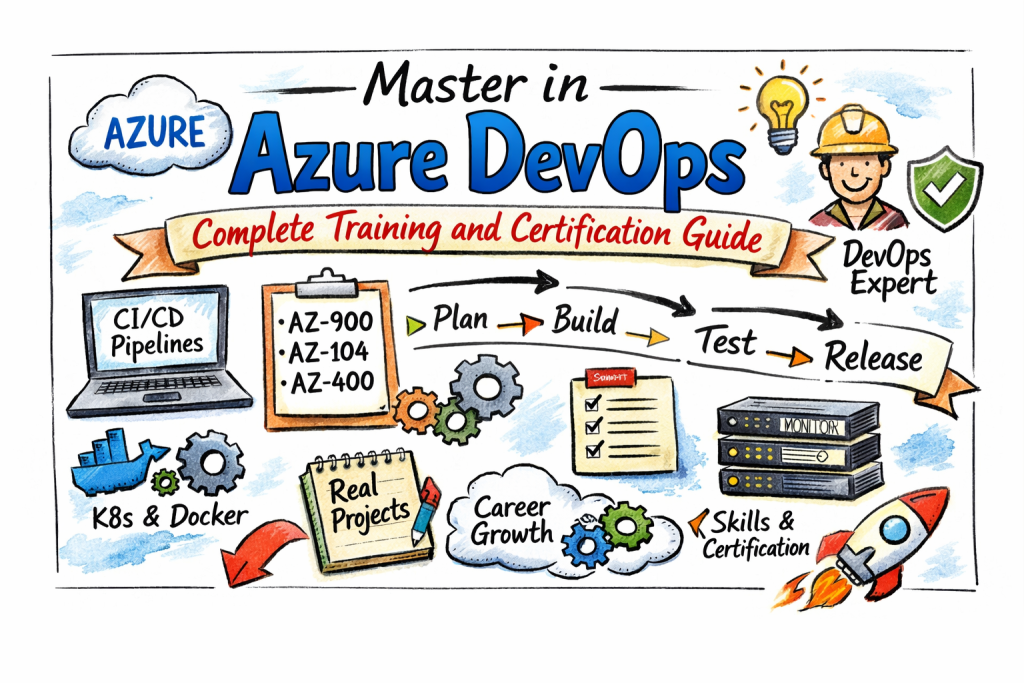
Master in Azure DevOps is a training and certification program that covers three key certification areas:
- Azure Fundamentals (AZ-900)
- Azure Administrator (AZ-104)
- Azure DevOps (AZ-400)
It is built as a step-by-step journey. First, you understand cloud and Azure basics. Then, you learn how to manage Azure resources properly. After that, you learn DevOps practices and how to implement CI/CD pipelines, release flows, and tool integration. The program also includes a section on integrating open-source tools with Azure (like Jenkins, GitHub, Terraform, Kubernetes, Docker, and similar tools).
Who should take this program?
Software engineers
If you write code but do not fully understand how code safely reaches production, this program helps you connect the full chain: plan → build → test → release → operate.
DevOps engineers and build/release owners
If you already work in CI/CD but your pipelines are messy, slow, or unreliable, this program helps you rebuild them in a clean, repeatable way.
Cloud and platform engineers
If you manage Azure resources, you will benefit because DevOps is not only pipelines. DevOps also needs strong environment setup, identity, access, networking, and monitoring basics.
SRE / operations engineers
If you support production systems, you will learn how to create better release safety, better automation, and better operational readiness.
Engineering managers and team leads
If you guide a team, you will learn what “good DevOps” looks like. You will be able to ask better questions about release risk, quality gates, approvals, and delivery speed—without micromanaging.
Why this program matters (for engineers and managers)
For engineers
- You learn Azure in a structured way, not random tutorials.
- You learn to build pipelines that are stable and reusable.
- You learn how to deploy apps in a safer way, with checks and rollbacks.
- You learn how to connect tools, so work becomes automated and repeatable.
For managers
- You learn how delivery works in reality (not only slides).
- You learn how to standardize team practices: branching, PR reviews, approvals, environments.
- You learn how to reduce release risk and improve predictability.
- You can guide people to build strong habits, not hero work.
Program snapshot (quick facts)
- Covers AZ-900, AZ-104, AZ-400
- Duration shown as 60 hours (approx)
- Includes curriculum blocks for AZ-900, AZ-104, AZ-400, plus open-source integration
Certification table (every certification covered in this program)
| Certification / Component | Track | Level | Who it’s for | Prerequisites | Skills covered | Recommended order |
|---|---|---|---|---|---|---|
| Master in Azure DevOps | Azure DevOps | Program (multi-level) | Engineers + managers who want full Azure DevOps capability | No strict prerequisites stated | Full path: Azure basics + administration + DevOps implementation | 0 |
| Azure Fundamentals (AZ-900) | Azure | Fundamentals | Beginners, engineers new to Azure, managers needing cloud basics | None | Cloud concepts, Azure core services overview, governance and cost basics | 1 |
| Azure Administrator (AZ-104) | Azure | Associate | Cloud/ops/platform engineers managing Azure resources | AZ basics helpful | Identity, governance, storage, compute, networking operations | 2 |
| Azure DevOps (AZ-400) | Azure DevOps | Advanced | DevOps engineers implementing CI/CD and DevOps practices | AZ basics + admin basics helpful | DevOps process implementation, pipelines, release strategy, feedback loops | 3 |
What you will learn
Azure foundations you need for real work (AZ-900 level)
You will learn the basic cloud ideas that matter in daily work:
- What cloud is and why teams use it
- The difference between IaaS, PaaS, and SaaS
- What regions and availability zones mean
- What subscriptions and resource groups are used for
- Why governance and cost tracking matter even for small teams
Why this matters: If you don’t understand the basics, you will copy steps but you will not know why things break.
Azure administration skills (AZ-104 level)
You will learn how to manage Azure properly:
- Identity basics (users, groups, access)
- Permissions and role-based access control habits
- How to structure environments for teams
- How to manage storage, compute, and networking in a controlled way
- How to think about operations and stability
Why this matters: Many pipeline failures are not “pipeline issues.” They are environment issues.
Azure DevOps implementation skills (AZ-400 aligned learning)
You will learn how to implement DevOps practices:
- How to plan and track work properly
- How to manage source code workflow
- How to build CI pipelines with strong quality steps
- How to design release strategies with environments and approvals
- How to improve feedback loops after deployment
Why this matters: DevOps is not a tool. It is a system for safe, fast delivery.
Open-source tools integration with Azure
The program includes learning on integrating open-source tools with Azure. This is important because real companies use mixed toolchains.
Examples mentioned include learning to install or integrate open-source tools such as Jenkins, GitHub, Terraform, Kubernetes, Docker, and more.
Why this matters: Real DevOps work is integration work.
Master in Azure DevOps (Program)
What it is
Master in Azure DevOps is a structured program that covers Azure fundamentals, Azure administration, and Azure DevOps implementation (AZ-900, AZ-104, AZ-400). It also includes open-source integration topics so you can build real delivery workflows.
Who should take it
- Developers who want to become DevOps engineers
- Cloud engineers who want CI/CD ownership
- DevOps engineers who want structured learning and better pipelines
- Platform engineers building internal delivery platforms
- Managers who want to understand delivery maturity end-to-end
Skills you’ll gain
- Clear understanding of Azure basics and how Azure is structured
- Strong Azure admin skills to manage real environments
- Practical CI/CD pipeline knowledge (build, test, release thinking)
- Release safety habits (environments, approvals, rollback planning)
- Tool integration thinking (Azure + open-source tooling)
Real-world projects you should be able to do after it
- Build a CI pipeline that runs build + unit tests + packaging
- Publish artifacts and manage versions properly
- Build a release flow with dev/test/stage/prod environments
- Add approvals and checks before production deployment
- Deploy a container app and validate health checks after deployment
- Create infrastructure automation workflow using Terraform concepts
- Integrate GitHub/Jenkins style workflows with Azure-based delivery
Preparation plan (7–14 days / 30 days / 60 days)
7–14 days (get comfortable with basics)
- Learn Azure structure: subscription, resource group, region
- Learn what services exist and when to use which (high level)
- Learn basic Git workflow: branch, pull request, merge
- Build one simple pipeline that runs build and tests
- Keep notes as “how I did it” steps (mini runbook)
30 days (build working skill)
- Practice admin basics: identity and access discipline
- Build two CI pipelines:
- One for a simple web app
- One for a container-based app
- Add quality steps:
- Unit tests
- Linting or basic checks
- Artifact versioning
- Build a basic release flow with one approval gate
- Start a small project repo that you can show as portfolio
60 days (be project-ready)
- Build one full end-to-end project:
- Repo + branch strategy
- CI pipeline
- Release pipeline
- Environments
- Approvals
- Rollback plan
- Add operational readiness:
- Basic monitoring signals you will check after deploy
- Runbook: “what to do if deploy fails”
- Document the project properly so others can follow it
Common mistakes (bullets)
- Reading too much and building too little
- Copy-pasting pipeline YAML without understanding steps
- No environment separation (everything goes to one place)
- No versioning discipline for artifacts
- Not planning rollback before production release
- Skipping monitoring checks after deployment
- Making pipelines too complex before basics are stable
Best next certification after this
- Same track: deeper Azure architecture and scaling practices
- Cross-track: DevSecOps or SRE track (security + reliability)
- Leadership: delivery governance and platform enablement learning
Choose your path (6 learning paths)
This section helps you choose what to focus on after you complete the base program.
1) DevOps path
Best for: DevOps engineers, build/release owners, platform delivery owners
Focus on:
- CI pipeline quality and speed
- Release strategy with approvals and safe rollout
- Standard templates teams can reuse (golden pipelines)
- Automation to remove manual steps
Result: You can build and maintain reliable delivery systems.
2) DevSecOps path
Best for: security engineers, DevOps engineers in regulated companies
Focus on:
- Secure access habits (least privilege)
- Adding security checks in pipelines (shift-left thinking)
- Building audit-friendly release steps (who changed what, when)
- Better secrets handling and safer configuration habits
Result: You ship faster while reducing security risk.
3) SRE path
Best for: SRE, production support, reliability-focused engineers
Focus on:
- Release safety and reliability thinking
- Monitoring habits and production readiness
- Runbooks, incident handling basics, and fast rollback readiness
- Reliability automation and reducing manual ops
Result: Fewer outages and faster recovery.
4) AIOps/MLOps path
Best for: teams building smart operations or ML delivery
Focus on:
- Using logs/metrics/events for better decisions
- Reducing alert noise and improving signal quality
- Automating responses where safe
- Delivery thinking for automation and ML components
Result: Smarter, faster operations over time.
5) DataOps path
Best for: data engineers and analytics platform teams
Focus on:
- Treating data pipelines like software delivery
- Testing and versioning for data workflows
- Environment separation and repeatable releases
- Governance habits for data changes
Result: More stable data pipelines and fewer surprises.
6) FinOps path
Best for: cloud engineers, managers, cost owners
Focus on:
- Cost visibility habits (tags, ownership, budgets)
- Smart choices in resource usage
- Avoiding waste while keeping performance
- Building cost checks into platform habits
Result: Better cost control without slowing delivery.
Role → Recommended certifications mapping
| Role | Recommended approach using this program |
|---|---|
| DevOps Engineer | Follow AZ-900 → AZ-104 → AZ-400 flow, then build 2–3 pipeline projects |
| SRE | Follow base flow, then focus on release safety + monitoring + runbooks |
| Platform Engineer | Strong AZ-104 skills + DevOps implementation + reusable pipeline templates |
| Cloud Engineer | Deep AZ-900 and AZ-104 focus, then add pipeline understanding |
| Security Engineer | Base flow, then DevSecOps path to add secure delivery habits |
| Data Engineer | Base flow, then DataOps path for data pipeline delivery discipline |
| FinOps Practitioner | Base flow, then FinOps path with governance and cost habits |
| Engineering Manager | Understand the full flow, then focus on standards and delivery maturity |
Next certifications to take (3 options)
Option 1: Same track (go deeper in Azure)
Choose this if you want to become strong in Azure platform design and large-scale environment management. You will focus on architecture patterns, scaling, governance, and enterprise readiness.
Option 2: Cross-track (strong career advantage)
Choose this if you want broader strength beyond core DevOps:
- DevSecOps: secure delivery, policy thinking, safer pipelines
- SRE: reliability-first delivery, monitoring, incident readiness
Option 3: Leadership (for leads and managers)
Choose this if you lead teams:
- Delivery governance: standards and templates
- Metrics: delivery speed, failure rate, recovery time
- Platform enablement: helping teams self-serve safely
Institutions that provide training + certification support
DevOpsSchool
DevOpsSchool provides the Master in Azure DevOps program and covers AZ-900, AZ-104, and AZ-400 aligned learning. It supports different modes (self-learning video, live online, and corporate options shown on the program page). It also includes curriculum blocks and open-source integration topics to help learners work with real toolchains.
Cotocus
Cotocus is often used by learners who want practical support and implementation guidance. It can be useful when you want help applying concepts to real work situations and project-style learning. It is a good option for learners who learn best by doing.
Scmgalaxy
Scmgalaxy supports training across DevOps and automation themes. It can help learners who want structured modules and a learning path that builds confidence step-by-step. It is useful for learners who want repeat practice and clear skill building.
BestDevOps
BestDevOps is helpful for career-focused learning and training support. It fits learners who want practical guidance for role change and interview readiness, along with strong DevOps workflow understanding. It can help you stay focused on job-ready skills.
devsecopsschool
This option is helpful if your goal is secure delivery. It supports learning around security-first habits and adding security thinking to pipelines and environments.
sreschool
This option supports reliability thinking and operational readiness. It is useful if you want strong monitoring habits, release safety thinking, and production stability focus.
aiopsschool
This option supports learning around smarter operations. It is useful if your team wants to reduce alert noise and improve automation over time.
dataopsschool
This option supports DataOps learning. It is useful if you want to apply DevOps discipline to data pipelines and data delivery workflows.
finopsschool
This option supports FinOps learning. It is useful if you want stronger cost control habits and governance thinking in cloud usage.
FAQs about difficulty, time, prerequisites, sequence, value, outcomes
1) Is Master in Azure DevOps difficult?
It is broad, but not confusing if you follow the right order. Start with basics (AZ-900), then admin (AZ-104), then DevOps implementation (AZ-400 aligned learning).
2) How long does it take to complete?
The program page shows about 60 hours (approx) for different learning modes listed there. Your total calendar time depends on how many hours you practice each week.
3) Do I need Azure experience before starting?
No strict prerequisites are stated on the program page. You can start as a beginner and build up step-by-step.
4) What is the best sequence to follow?
AZ-900 → AZ-104 → AZ-400 aligned DevOps learning. This sequence builds the right base before advanced work.
5) How many hours should I study per week?
A simple plan:
- 6–8 hours/week = steady progress
- 10–12 hours/week = faster progress
The key is consistent labs.
6) What is the biggest value for my career?
You learn how to build delivery systems. That is the skill companies pay for: pipelines, release safety, automation, and stable environments.
7) Will this help me switch roles into DevOps?
Yes, if you build 1–2 complete projects and document them well. Projects matter more than only reading.
8) What should I build as proof of skill?
Build one end-to-end project:
- Repo + branching rules
- CI pipeline with tests
- Release flow with environments
- Approval step
- Rollback plan
- Basic monitoring checks after deploy
9) Is it useful if my company uses GitHub/Jenkins/Terraform?
Yes, the program includes a section on integrating open-source tools with Azure, and mentions tools like Jenkins, GitHub, Terraform, Kubernetes, Docker, etc.
10) What common mistakes slow people down?
Skipping labs, copying YAML without understanding, and not finishing one full project end-to-end.
11) What should managers learn from this?
Managers should learn delivery flow, release risk controls, and how to set standards like branching rules, approval rules, and environment rules.
12) Does this help with real project work, not just exam prep?
Yes, the program focuses on learning topics and integration that match real DevOps work and delivery workflows.
13) What should I do if I have only 30 days?
Focus on one solid project. Build one working CI pipeline and one working release flow. Add basic approvals and checks. Document it.
FAQs on Master in Azure DevOps (Q&A)
1) What is included in Master in Azure DevOps?
It includes training aligned to AZ-900, AZ-104, and AZ-400, plus an open-source integration section.
2) What duration is shown on the program page?
It shows 60 hours (approx) for multiple training modes listed there.
3) Is it only for experienced people?
No. The program is structured so beginners can start with fundamentals and grow step-by-step.
4) Does it include open-source tool integration?
Yes. It includes “How to Integrate Open-Source tools with Azure.”
5) What is the best outcome after finishing the program?
A complete delivery project you can explain: build, test, deploy, rollback, and monitor.
6) How do I avoid confusion while learning?
Follow order, do labs, and keep a simple notebook of “what I did and why.”
7) What should I do if I get stuck in pipelines?
Go back to basics: triggers, artifacts, environments, and permissions. Most issues are in one of these.
8) What is the best next step after completion?
Choose one path: deeper Azure, cross-track (DevSecOps/SRE), or leadership track—based on your job role.
Testimonials
Rohit: “I used to copy pipeline steps without understanding. Now I can build a clean flow and explain it.”
Priya: “As a manager, I can review delivery readiness and reduce release risk with better process.”
Aman: “The tool integration thinking helped me connect real workflows instead of using tools in isolation.”
Conclusion
Master in Azure DevOps is not just about learning Azure tools—it teaches you a complete, practical way to deliver software safely and consistently. You start with Azure basics so you understand the cloud foundation, then you learn Azure administration so you can manage identity, access, governance, storage, compute, and networking properly, and finally you learn Azure DevOps practices so you can build real CI/CD pipelines, set up safe releases with environments and approvals, and use feedback from production to improve quality. This path helps engineers reduce manual work and last-minute fixes, and it helps managers guide teams with clear standards and better release readiness. To get real value, you should build at least one full end-to-end project (repo, CI pipeline, release flow, stages, rollback plan, and basic monitoring checks) and document it, because that is what proves job-ready skill. After completion, you can go deeper in Azure, add DevSecOps or SRE for stronger security and reliability, or move toward leadership with delivery governance—whichever matches your role and goals.